Logo ### Kiwix Manager A web-based Kiwix management tool to create & upload zims as well as manage non zim files [![Version](https://img.shields.io/badge/dynamic/json.svg?label=Version&style=for-the-badge&url=https://git.zakscode.com/api/v1/repos/ztimson/kiwixm/tags%3Ftoken%3D35a3bf73a216782a7435f86117412bcb9784b716&query=$[0].name)](https://git.zakscode.com/ztimson/kiwixm/tags) [![Pull Requests](https://img.shields.io/badge/dynamic/json.svg?label=Pull%20Requests&style=for-the-badge&url=https://git.zakscode.com/api/v1/repos/ztimson/kiwixm%3Ftoken%3D35a3bf73a216782a7435f86117412bcb9784b716&query=open_pr_counter)](https://git.zakscode.com/ztimson/kiwixm/pulls) [![Issues](https://img.shields.io/badge/dynamic/json.svg?label=Issues&style=for-the-badge&url=https://git.zakscode.com/api/v1/repos/ztimson/kiwixm%3Ftoken%3D35a3bf73a216782a7435f86117412bcb9784b716&query=open_issues_count)](https://git.zakscode.com/ztimson/kiwixm/issues) ---
DocumentationRelease NotesReport a BugRequest a Feature
---
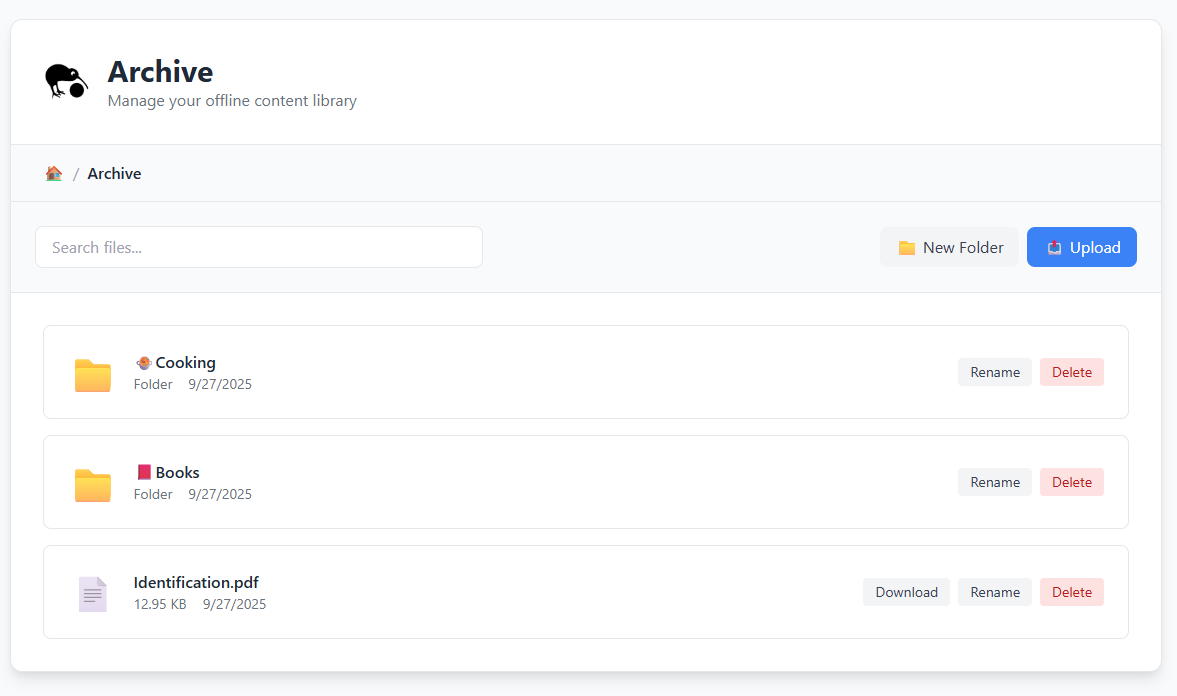
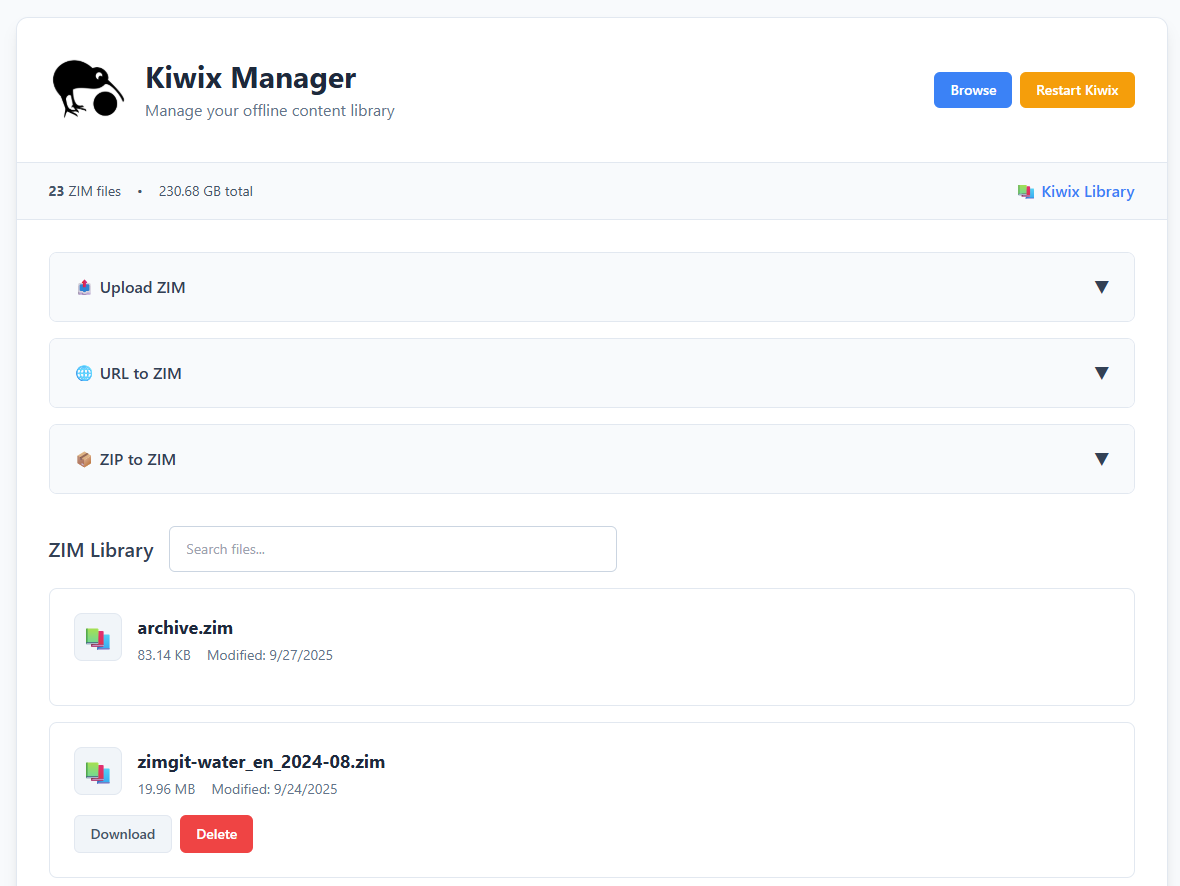
![](screenshot-archive.png) ![](screenshot-manager.png) ## Table of Contents - [Kiwix Manager](#top) - [About](#about) - [Features](#features) - [Built With](#built-with) - [Setup](#setup) - [Production](#production) - [Development](#development) - [License](#license) ## About Kiwix Manager (KiwixM) is a comprehensive web-based management interface for Kiwix servers that extends beyond traditional ZIM file management. It provides both a powerful Kiwix library management system and an integrated file browser for non-ZIM content, making it a complete solution for offline content libraries. ### Features - **Non-ZIM library browser + uploader integrated into Kiwix** - Open the "Archive" book in Kiwix to browse and upload any file alongside your Kiwix content - **Kiwix management interface for updating library content** - Full administrative control over your Kiwix server and ZIM library - **Upload ZIMs or download them from URLs** - Flexible ZIM file management with local uploads and remote downloads - **Create ZIMs from URLs (zimmit)** - Convert websites directly to ZIM files with customizable scraping options - **Create ZIMs from zips / files** - Generate ZIM archives from your existing file collections - **Automatic ZIM indexing** - We will automatically update your `library.xml` everytime Kiwix reboots ### Built With [![Docker](https://img.shields.io/badge/Docker-384d54?style=for-the-badge&logo=docker)](https://docker.com/) [![Express](https://img.shields.io/badge/Express-000000?style=for-the-badge&logo=express)](https://expressjs.com/) [![JavaScript](https://img.shields.io/badge/JavaScript-000000?style=for-the-badge&logo=javascript)](https://javascript.com/) [![Node](https://img.shields.io/badge/Node.js-000000?style=for-the-badge&logo=nodedotjs)](https://nodejs.org/) [![TailwindCSS](https://img.shields.io/badge/Tailwind_CSS-38B2AC?style=for-the-badge&logo=tailwind-css&logoColor=white)](https://tailwindcss.com/) ## Setup

Production

#### Prerequisites - [Docker](https://docs.docker.com/install/) #### Instructions 1. Run the docker image: `docker run -d --name kiwix --restart unless-stopped -p 3000:3000 -v /media/library:/data ztimson/kiwixm:latest` 2. Open [http://localhost:3000](http://localhost:3000) 3. Access the admin panel at [http://localhost:3000/admin](http://localhost:3000/admin)

Development

#### Prerequisites - [Node.js](https://nodejs.org/en/download) - [Kiwix Tools](https://kiwix.org/en/downloads/kiwix-tools/) (for ZIM file management) #### Instructions 1. Install the dependencies: `npm install` 2. Start the server: `npm run start` 3. Open [http://localhost:3000](http://localhost:3000)
## License Copyright © 2023 Zakary Timson | Available under MIT Licensing See the [license](./LICENSE) for more information.